Dashboard Overview: Navigating Your EchoBrain Interface
Welcome to the EchoBrain dashboard, where managing your online store’s user-generated content becomes a walk in the park. Designed with simplicity in mind, this dashboard overview is specially crafted for creators who want to make the most of their e-commerce platforms. Let’s break down each section for an easy, comprehensive understanding of this powerful tool.
Welcome to Your Command Center
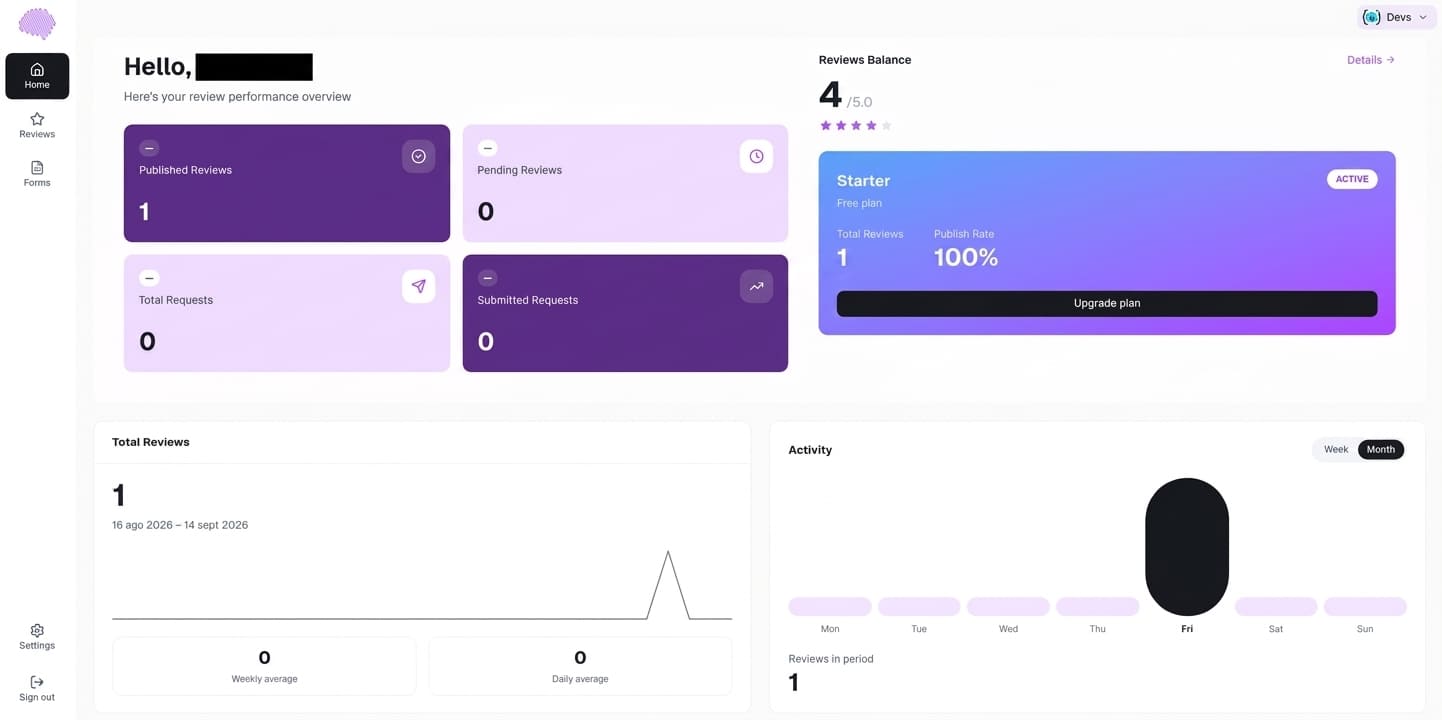
Upon signing in, EchoBrain greets you with a clear, straightforward dashboard. Here, you’ll find everything you need to manage your store’s user-generated content, such as reviews and questions, which are crucial for building trust with potential customers.
Reviews: Understanding Your Customers
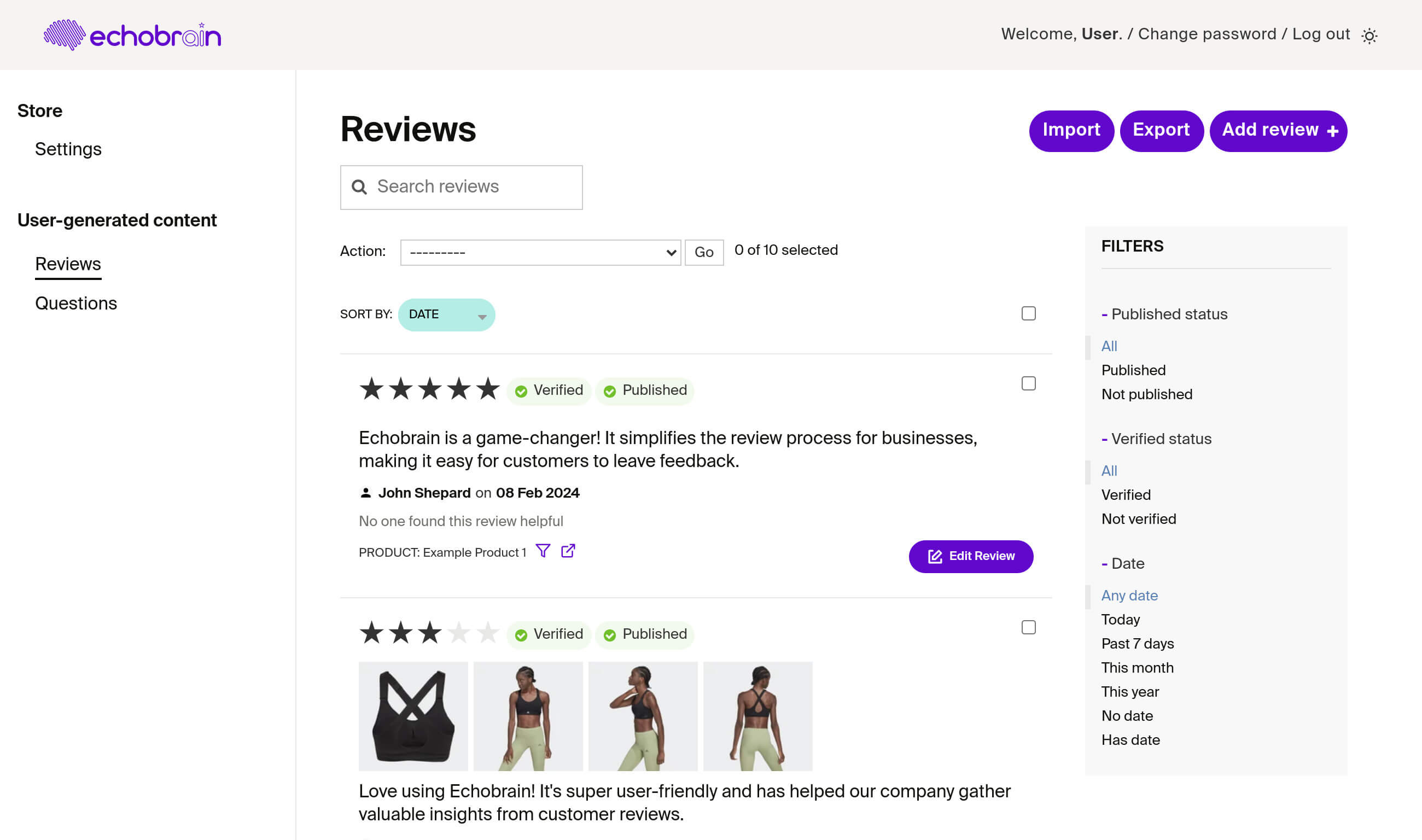
The Reviews section is a goldmine of customer insights. At a glance, you can see star ratings and read detailed feedback. These reviews are not just comments; they are conversations waiting to happen. You can publish these to your product pages, reply to engage with your customers directly, or see at a glance which ones are verified — reviews that come from a real order are verified automatically and display a “Verified Buyer” badge.
Questions: Fostering a Community
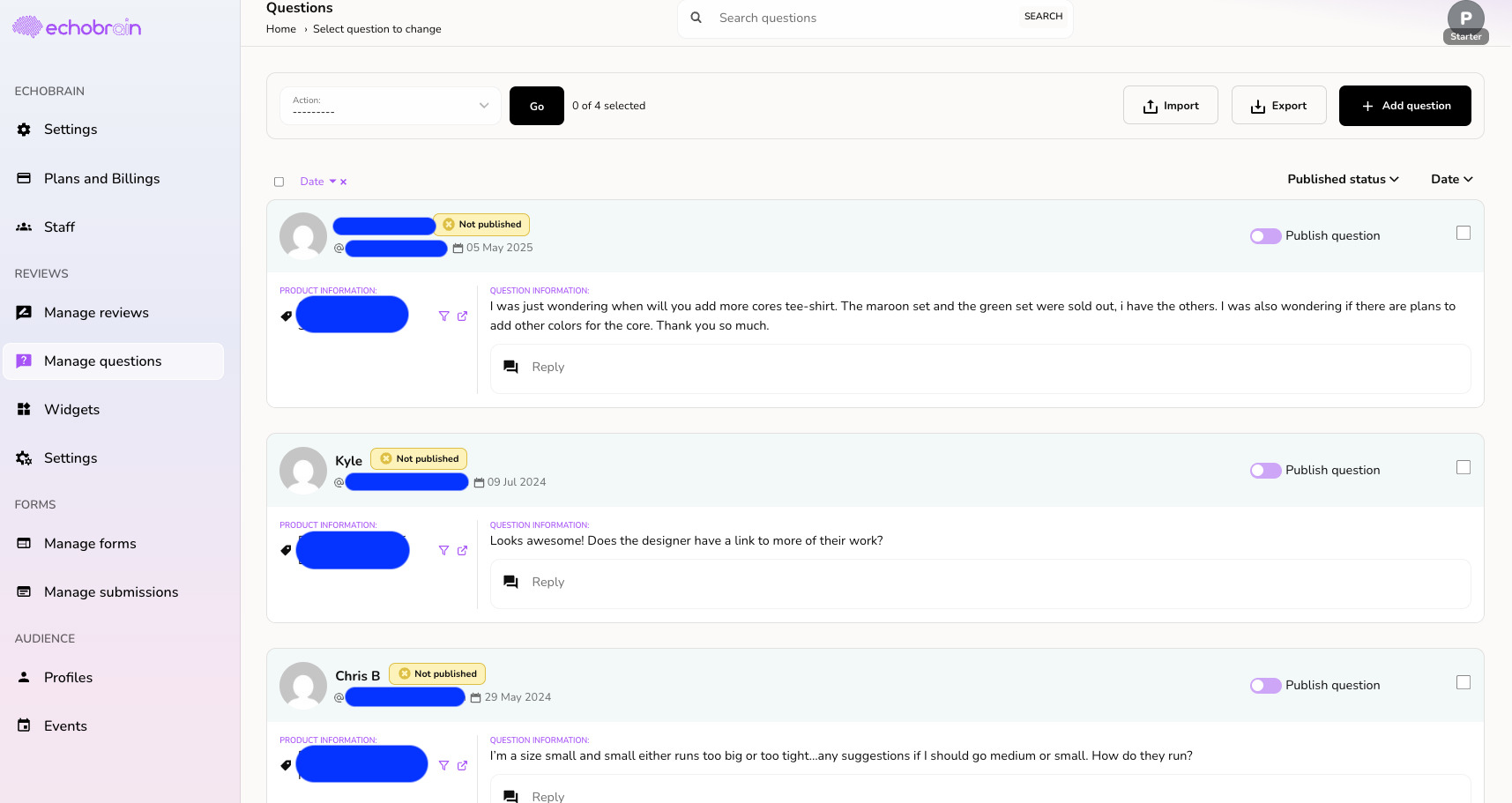
Under the Reviews section of the sidebar, you’ll find Questions — inquiries from customers awaiting your expertise. It’s a space for potential buyers to seek information, and your answers can dispel doubts and convert curiosity into sales. Editing and publishing these questions is a cinch, echoing the simplicity of managing reviews.
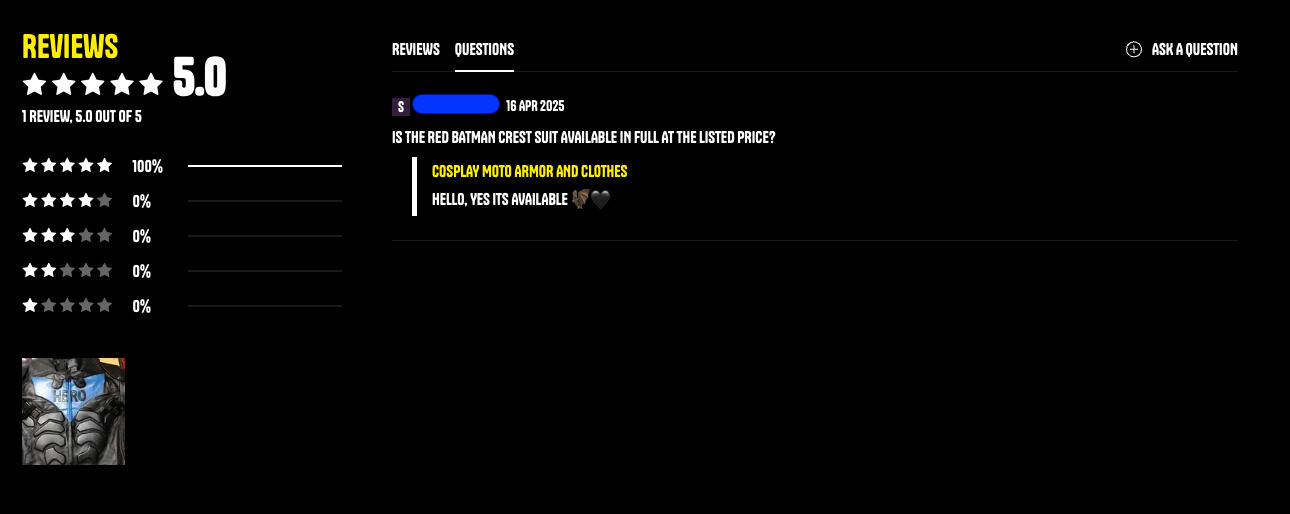
Once you’ve published an answer, it shows up on your storefront through the Reviews widget, so shoppers can browse existing Q&A right on the product page before buying.
Bulk Actions: Efficiency at Its Best
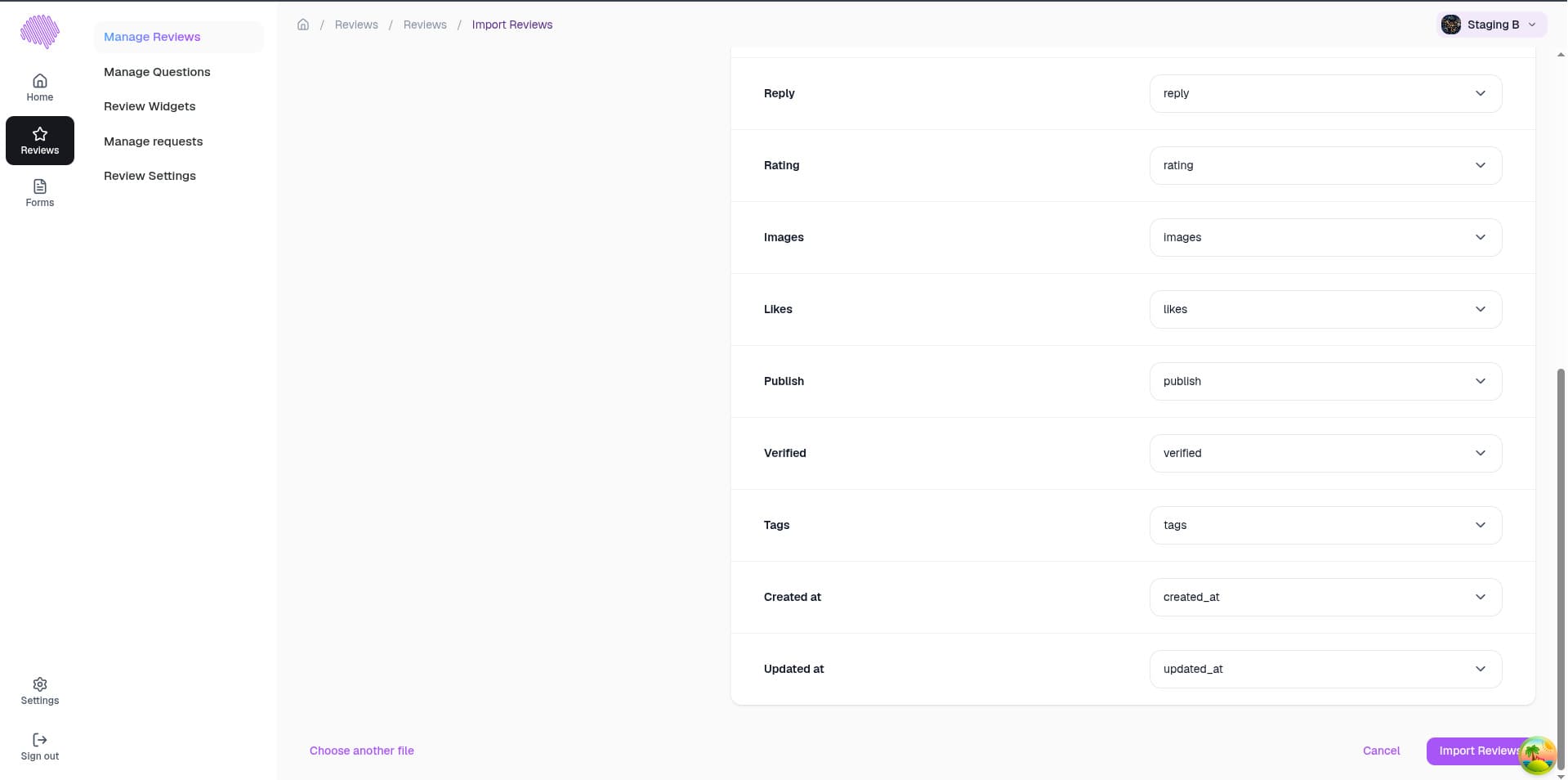
Time is money, and EchoBrain’s import and export features understand that well. With just a few clicks, you can upload or download reviews and questions in bulk, making large-scale management tasks a breeze. This function is particularly useful when migrating data or updating your store en masse.
For more information about how to import and export reviews, please check out this article.
Your Store Settings
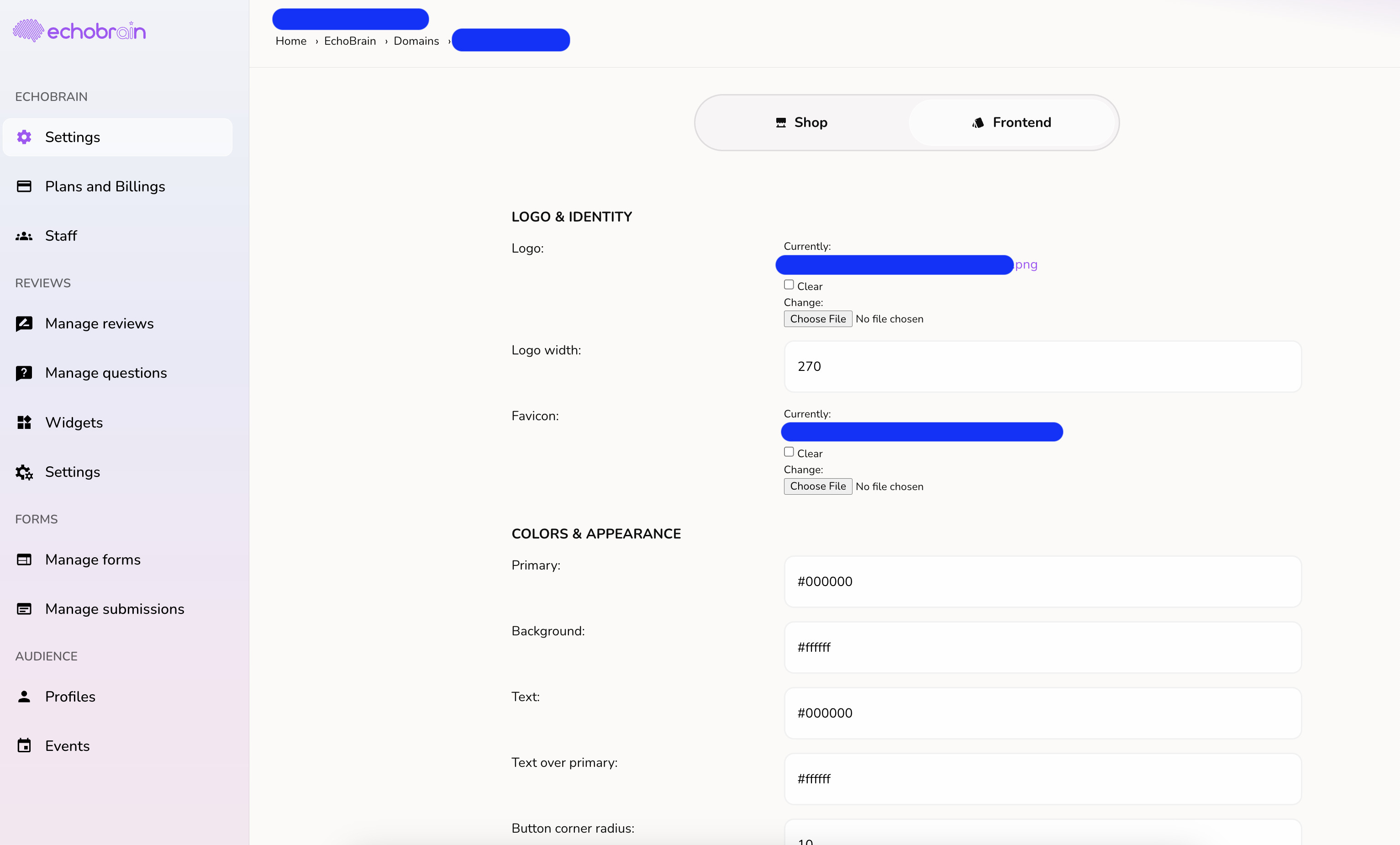
Tailoring EchoBrain to match your brand’s aesthetic and functional needs is simple, spread across a few focused areas: Settings → Branding for your logo and brand colors (synced automatically from your Fourthwall theme), Reviews → Review Widgets → Customize for each widget’s colors and appearance, and Reviews → Review Settings for coupon codes, email templates, and moderation rules. With EchoBrain, you’re in control of how your brand is presented and how you communicate with your customers.
The EchoBrain dashboard is designed to put you in the driver’s seat of your e-commerce store’s user-generated content. By understanding and utilizing each section – from viewing ratings at a glance to diving into the details of reviews and questions – you can harness the power of customer feedback to build a stronger, more responsive brand. Keep your EchoBrain tuned, and watch your online presence thrive.