Reply to Reviews with AI Assistance
We’re excited to introduce EchoBrain’s first AI-powered feature: creators can now generate smart, tone-matching replies to customer reviews using AI. This tool helps you respond more efficiently while staying on-brand — whether you’re looking to be supportive, friendly, or elegant.
This makes managing feedback at scale easier than ever while still keeping a human touch.
1. How to Access the AI Reply Generator
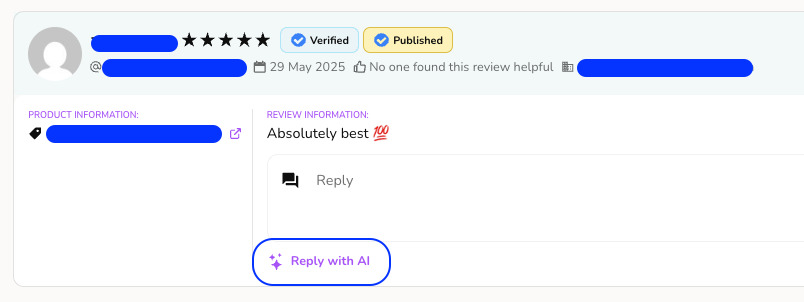
When viewing a customer review on your EchoBrain dashboard, click Reply to open the reply box — inside it, you’ll see a new ✨ icon.
Click it to open the AI reply generator.
2. Select Your Tone and Add Instructions
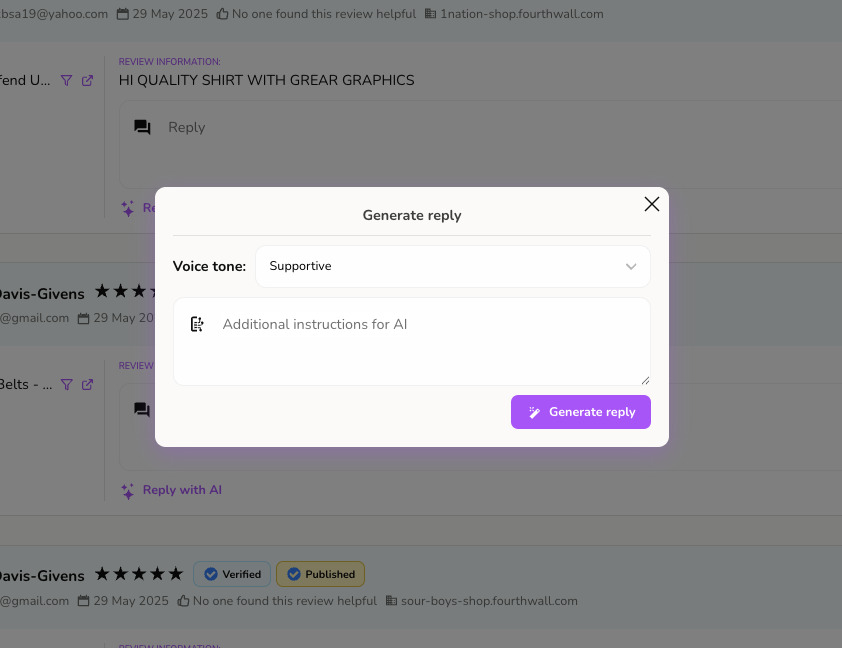
Inside the reply generator modal, you can:
-
Choose a Voice tone:
Supportive,Friendly, orElegant -
Add Additional instructions for AI (optional):
For example:
“Be concise and remind the customer to check their inbox for a discount.”
These inputs help EchoBrain craft a message that matches your style and purpose.
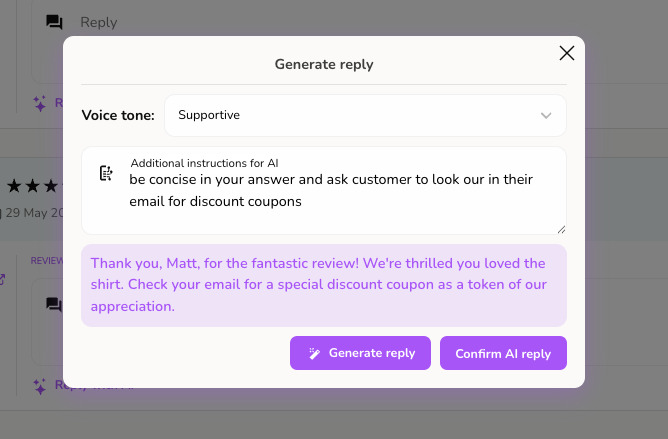
3. Review and Edit the AI Reply
Once you click “Generate reply”, the AI writes a response based on the selected tone and any instructions you provided — and drops it directly into the reply field, ready to edit.
There’s no separate confirmation step: the reply field itself is your preview, so feel free to tweak the wording before saving.
4. Save Your Reply
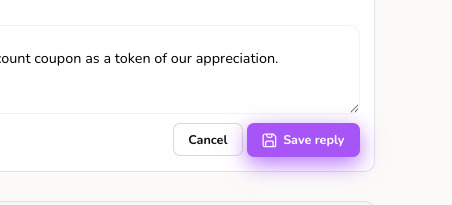
Once you’re happy with the reply, click “Save reply” to publish it.
Why This Matters
Responding to reviews is one of the best ways to build trust with your customers. With EchoBrain’s new AI reply tool, you can keep your brand voice consistent, save time, and focus more on growing your business — without letting any customer go unacknowledged.
Final Thoughts
This is just the beginning of AI-powered features in EchoBrain. With customizable tones and flexible instructions, we’re giving creators the tools to stay responsive without sacrificing authenticity.
Try it today, and turn every review into a branded touchpoint!